Features

Everything around the terminal, done for you.

MasterDeck is a front end for your Claude Code sessions and your GitHub. It watches, links, moves and reminds, and asks you before it acts.

Sessions

Every session, its real terminal.

Each Claude Code session is a tab running claude attach: the real terminal, not a copy. Closing a tab only detaches; the background session keeps working.
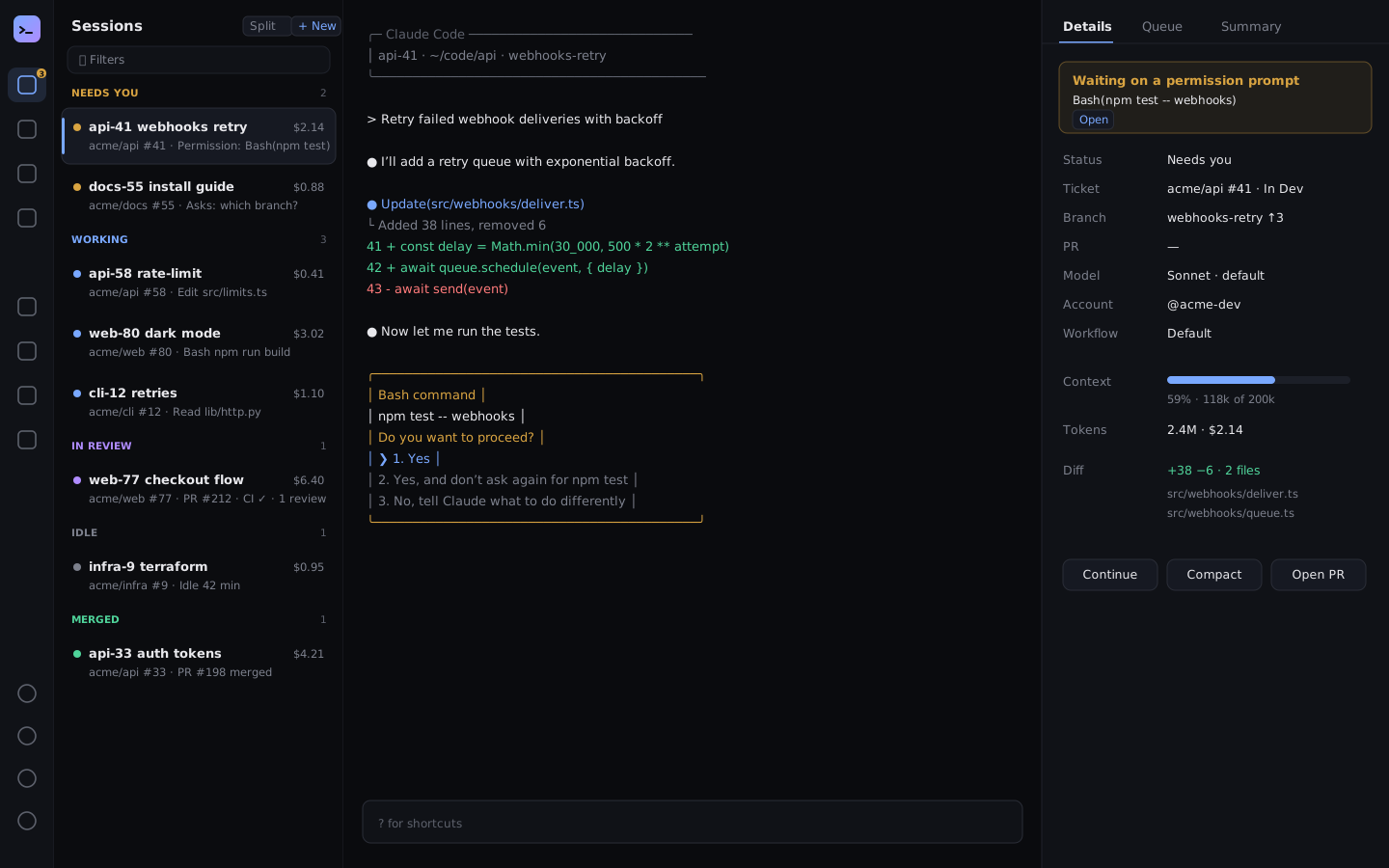
  • Grouped by what each needs: Needs you, Working, In review, Idle, Merged
  • Details: what it waits on, ticket, PRs, worktrees, diff, tokens, context, model
  • Split view, starred sessions, filters by status, account and repository
  • Broadcast, quick reply, Continue and Compact, never onto a permission prompt
  • A command palette (⌘K) for every session, issue, PR and action
MasterDeck’s Terminals view: the Sessions column grouped into Needs you, Working and In review, a Claude Code terminal in the middle, and the session’s details on the right.
Tasks and the board

Tickets in, PRs out.

Your sprint from GitHub Projects as a Kanban board. Click a ticket and a session starts in the checkout of its repository, linked to the issue. MasterDeck moves the card as the work moves.
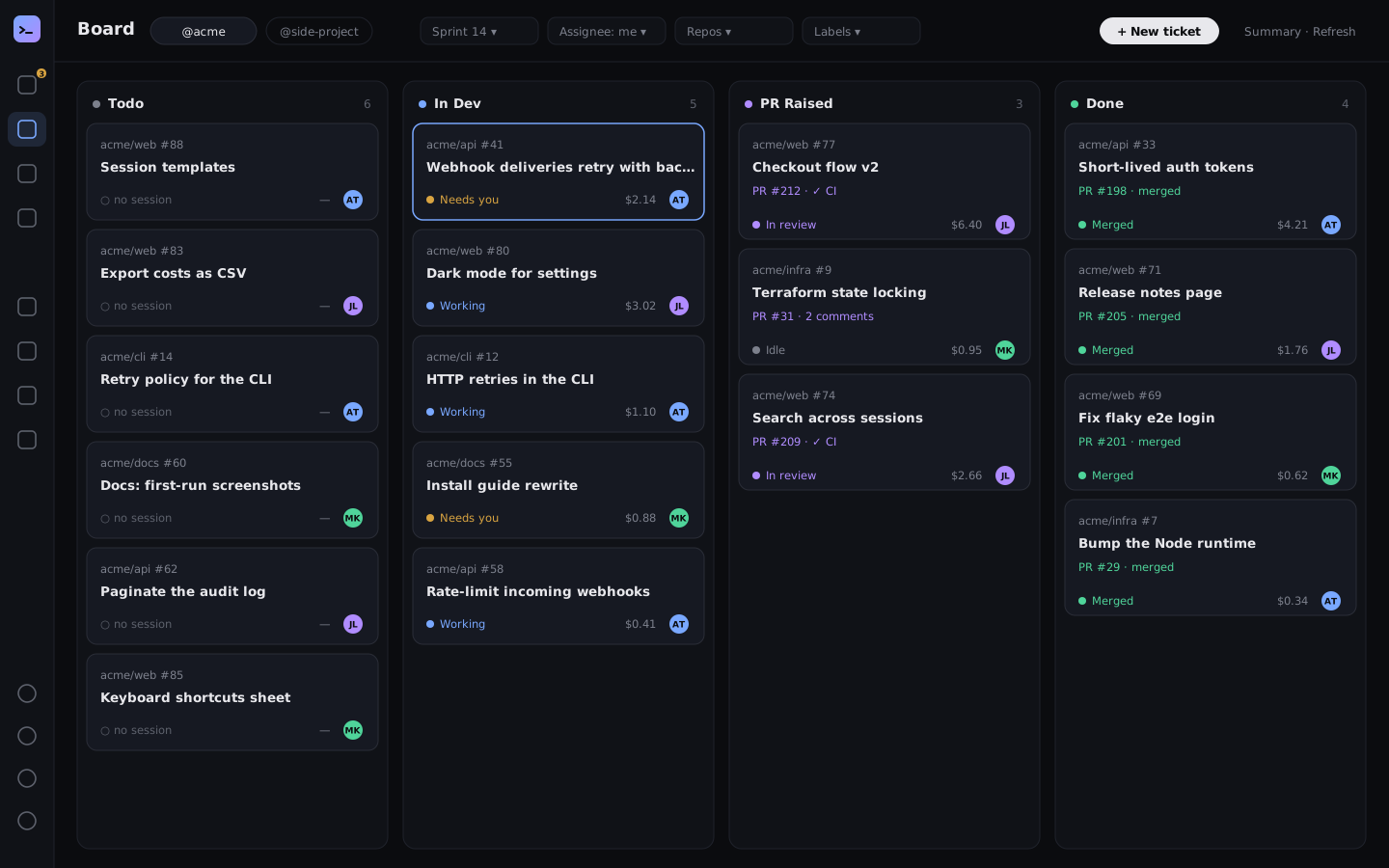
  • In Dev on start, PR Raised on the PR, Dev Done on the merge
  • No GitHub project? Columns worked out from your repositories’ issues, and Create a GitHub board
  • A repository view: every issue of a repository, on a board or not
  • Assign, sub-issues and descriptions in the card’s popup; filters by person, sprint and repository
  • Tasks: what master proposes, approved or held, in one list
MasterDeck’s Board: GitHub Project tickets in Todo, In Dev, PR Raised and Done columns, each card showing its session, PR and spend.
Workflows

Draw how work gets shipped.

A canvas where you decide what sessions do from an issue to a merged PR. Triggers start it, skills and instructions do the work, and arrows pick the next step by how the last one went.

  • Triggers: session starts, after a push, before the PR, PR merged, a command matching a pattern, idle for N minutes
  • Every skill you have, plugin skills and each repository’s own
  • Build with Claude: describe a workflow, get it on the canvas, apply or discard
  • Custom triggers on any Claude Code hook, tool, path or output

Coming soon  Agent loops: a step that runs again and again until a goal is met, such as the tests passing, with limits on rounds, time and spend.
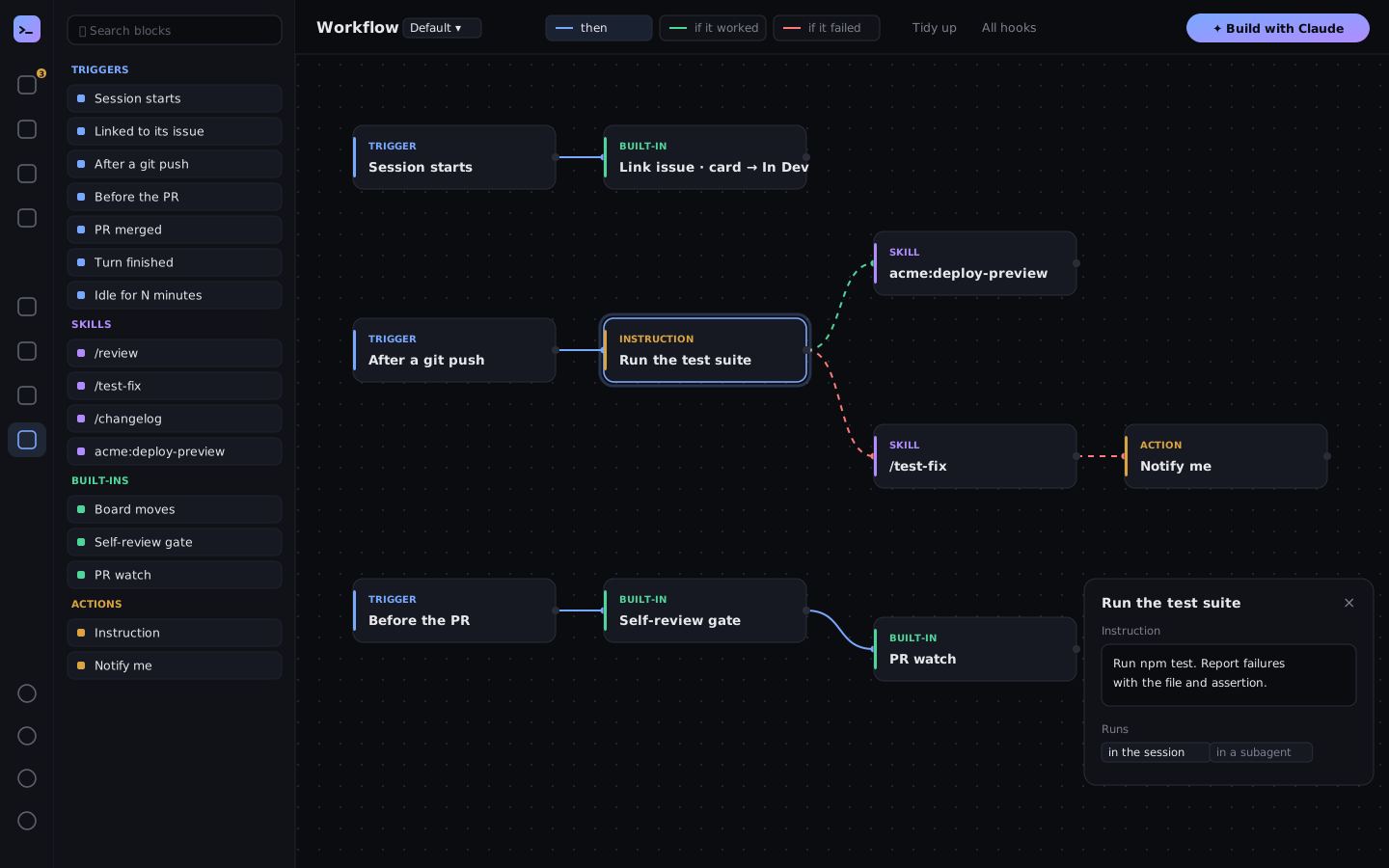
MasterDeck’s Workflow canvas: triggers, skills and built-ins joined by arrows, from a session starting to its PR merging.
Try it

Drag a workflow around.

TriggerSession starts
Built-inMove card → In Dev
TriggerBefore the PR
Skill/review the diff
Agent loop · soonFix until tests pass
Built-inPR watch
ActionNotify me
Costs

See where the money goes.

Spend and tokens from Claude Code’s own status line, recorded per session per day and summed per ticket. Set a budget per ticket and get told when one passes it.
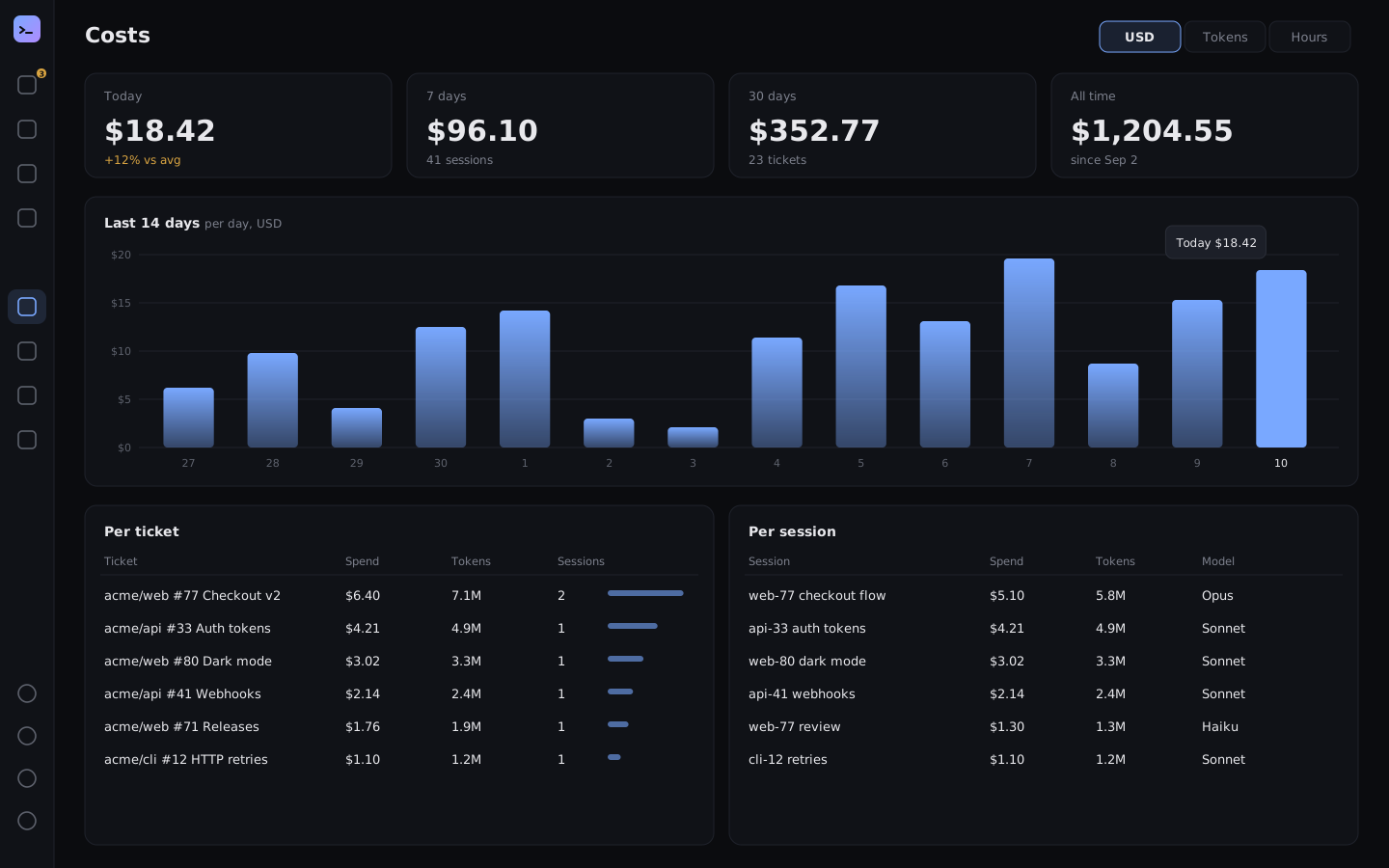
  • Today, 7 and 30 days, and a 14-day chart, in USD or tokens
  • Tables per ticket and per session; each board card shows its spend
  • Context warnings at 85%, with Compact now
  • Hours: an estimate per account, day and ticket, exported as CSV
MasterDeck’s Costs view: spend today, over 7 and 30 days, a 14-day bar chart, and spend per ticket and per session.
Several GitHub accounts

Work and side projects, one window.

Connect every account gh is logged in to. Each session, Board tab and PR tab works as one account, with its own token, commit name and email, and its own workspace folder. MasterDeck never runs gh auth switch.

  • Pick the account in the Start dialog; resumes keep it
  • A shared GitHub cache, keyed per account, so many sessions don’t use up your rate limit
  • Tokens stay on your Mac (mode 600)
And more

The small things that add up.

Web app and phone

Sign in at app.masterdeck.dev to reach your Mac’s sessions, board and live terminals, end-to-end encrypted.

PR watch

Review comments, conflicts and the merge of a session’s PR go back to that session.

Self-review gate

The first gh pr create on each branch stops for a self-review of the diff.

Notes

Your own notes and one per ticket, in Markdown, kept on your Mac. Sessions can add to them.

/queue

Queue a prompt to run after the current answer, and edit the queue in a panel.

Hygiene

Standup notes from your commits, a worktree janitor, history search, templates and broadcast.

Every feature, in detail: the user guide.

Ready when you are.